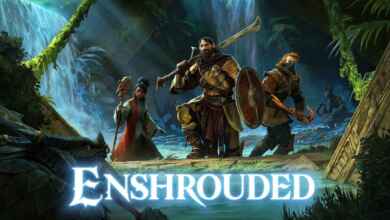
Worried about losing your progress when you upgrade to Enshrouded 1.0? Good news: Keen Games confirms that old Early Access saves will remain compatible with the final version. However, this major update changes several important things: the save format has changed, their local location on Windows has changed, the game now separates local and Steam Cloud saves into two distinct tabs, and the skill tree is reset the first time you launch an old game.
If you're primarily looking for details on the new features in the final version, you can also check out our article on the release of Enshrouded 1.0 on PC and PS5 . Here, the goal is simpler: to help you resume your game without any unpleasant surprises.
Can you continue using an old save file on Enshrouded 1.0?
Yes. Keen Games clearly states that Early Access saves can still be used after the release of Enshrouded 1.0. The studio specifies, however, that the save format has been improved and that old data will be converted to a new, more efficient format. In addition, the developers encourage players who wish to do so to start a new game, as the world and the first few hours of gameplay have been extensively reworked.
In other words, you don't have to start from scratch , but it can be interesting to create a new world if you want to rediscover the progression as it was designed for version 1.0. The best solution, in many cases, is to keep your historical game while launching a new world alongside it.
First precaution: make a backup copy before opening version 1.0
Even if compatibility is confirmed, it is strongly advised to manually back up your files before the first launch of the final version. Enshrouded's official support also recommends creating a copy of your files before any manipulation to avoid accidental data loss.
The logic is simple:
- Close Enshrouded completely;
- Retrieve your backup folder;
- copy all the files into another folder;
- Keep this copy safe before opening version 1.0.
Where were the old Enshrouded save files located?
Official support reminds users that Enshrouded's local backups were located in the folder %USERPROFILE%\Saved Games\enshroudedFor players who used Steam Cloud, the files are linked to the Steam user folder.
To summarize :
- local backups :
%USERPROFILE%\Saved Games\enshrouded - Steam Cloud :
C:\Program Files (x86)\Steam\userdata\VOTRE_ID_STEAM\1203620\remote - Steam cloud web access :
https://store.steampowered.com/account/remotestorageapp/?appid=1203620
If you cannot immediately find your files, first check whether you were playing locally or with Steam Cloud enabled.
Does Enshrouded 1.0 automatically convert old save files?
Yes, but with one important caveat. The official changelog indicates that Enshrouded now uses a new save format that is lighter and easier to manage. The studio also specifies that if the game detects a save created with version 0.8 or earlier , it first backs up the existing data and then automatically migrates it to the new format.
Although the changelog explicitly targets 0.8 or earlier saves for this detailed procedure, the launch FAQ more broadly confirms that early access saves remain usable in Enshrouded 1.0. In practice, this means it's better to let the game handle the conversion itself rather than moving or editing files manually unnecessarily.
New pitfall in version 1.0: Local and Steam Cloud are now separate
This is probably one of the most common reasons why a player might believe their character or world has disappeared. Since version 1.0, Enshrouded allows players to choose separately, in the character and world menus, whether to use the local folder or the Steam Cloud folder . These locations are organized into separate tabs.
Before panicking, perform these three checks:
- open the character menu;
- check if you are on the tab local ou Steam Cloud ;
- Repeat the same check in the worlds menu.
In many cases, the backup has not disappeared: it is simply not displayed in the correct tab.
Where are the local backups located after update 1.0?
The official changelog provides the new local storage path under Windows. Local data is now located in:
C:\Users\WINDOWSUSER\Saved Games\keen games\Enshrouded\default
In other words, the local reference folder is no longer simply the one historically used during early access. If you are looking for your files after the update, this new location is the one you should check first.
What if Enshrouded indicates that a save file cannot be written?
The changelog also mentions a new warning message that appears when a character or world save cannot be overwritten. The studio clarifies that this can happen if the data is set to read-only in Windows.
If you see this message:
- close the game;
- open the relevant folder;
- check the properties of the files and folders;
- make sure they are not read-only;
- Then restart the game.
Avoid deleting files blindly: always start by making a backup copy.
Why are skills reset with Enshrouded 1.0?
Keen Games has published a very clear warning in its changelog: when launching an existing save file in version 1.0.0.0 for the first time, the skill tree is reset . The studio explicitly asks players to redistribute their skill points before embarking on a new adventure.
This decision makes sense, as version 1.0 adds and rebalances numerous skills. The changelog specifically mentions several new abilities, the relocation of some skills to other branches, and a general rebalancing of the costs and effectiveness of many talents.
How to properly resume an old game after resetting skills?
After the initial loading of your old save, take a few minutes before heading back out to explore Embervale:
- open the skill tree;
- check the number of points available;
- reallocate your points according to your build;
- check your equipment;
- Also check your keys and shortcuts if you were using a custom configuration.
This last point is useful, because the changelog also indicates that some key assignments have been reset to incorporate the new features of the update.
And what about dedicated servers?
If your world is hosted on a dedicated server, it is important to remember one key point: world progress is stored on the server side, but character progress remains stored on the client side.
As we have already published a comprehensive guide on this subject, the most relevant thing here is to avoid repetition and refer readers to our dedicated guide to creating an Enshrouded server and playing co-op.
If you still decide to manage your migration yourself, simply remember these guidelines:
- save the world folder on the server;
- do not forget that the player characters are not in your stored on the server;
- verify that the server restarts correctly after the update;
- to preserve a clean copy of the world before any manipulation.
Should I start a new game with Enshrouded 1.0?
Not necessarily. If you have a large base, advanced progression, or a highly invested co-op world, it makes perfect sense to keep your current save. However, if you've only played for a few hours, or if you want to experience the changes at the beginning of your adventure in the best possible conditions, restarting a world can be worthwhile.
The best option is often simple: keep your old save as your main game and launch a new world in parallel to experience version 1.0 in the best conditions.
Checks to perform before restarting your game
Finally, here is the short version:
- make a backup copy before opening Enshrouded 1.0;
- Check if your backup is in local or in Steam Cloud ;
- let the game handle the Conversion of the backup format;
- Think of reallocate your skill points ;
- If you are playing on a dedicated server, also save the world on the server side and consult our dedicated guide if needed.
Ultimately, Enshrouded 1.0 doesn't force you to start from scratch . Your old saves remain usable, but this update requires a few checks before resuming your adventure. A little caution during the migration can save you from many unpleasant surprises.